


手机查看
扫码查看




Creative Cloud Cleaner Tool for Mac(卸载工具) v4.3.0.395免费版
软件版本
开心版
软件内容
无广告
更新日期
2023年9月6日
语言
英文软件
平台
人气
66
软件截图
×
![放大图片]()
Adobe软件卸载不彻底,总是导致新版本软件安装失败怎么办?Adobe Creative Cloud Cleaner Tool mac版是Macos上一款Adobe卸载工具,可以更精确地删除可能已损坏或者导致新安装出现问题的 Creative Cloud 或 Creative Suite 应用程序安装记录,同时果您无法连接到 Adobe服务器,Cleaner Tool 会为您提供帮助,Macw提供Adobe Creative Cloud Cleaner Tool下载资源,需要朋友们不要错过呀!!
Adobe Creative Cloud Cleaner Tool安装教程
镜像包下载完成后打开,拖动进行安装
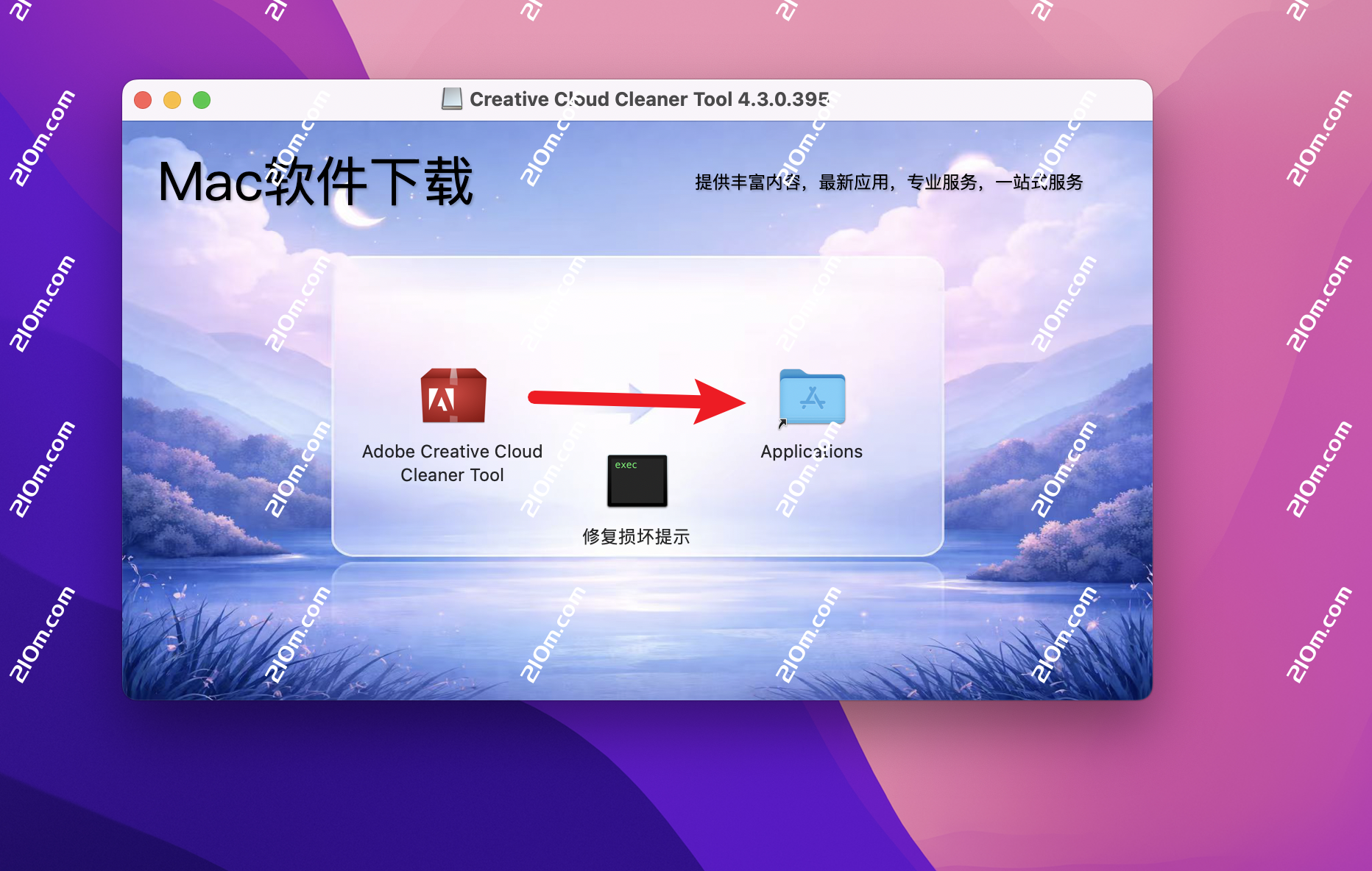
卸载教程
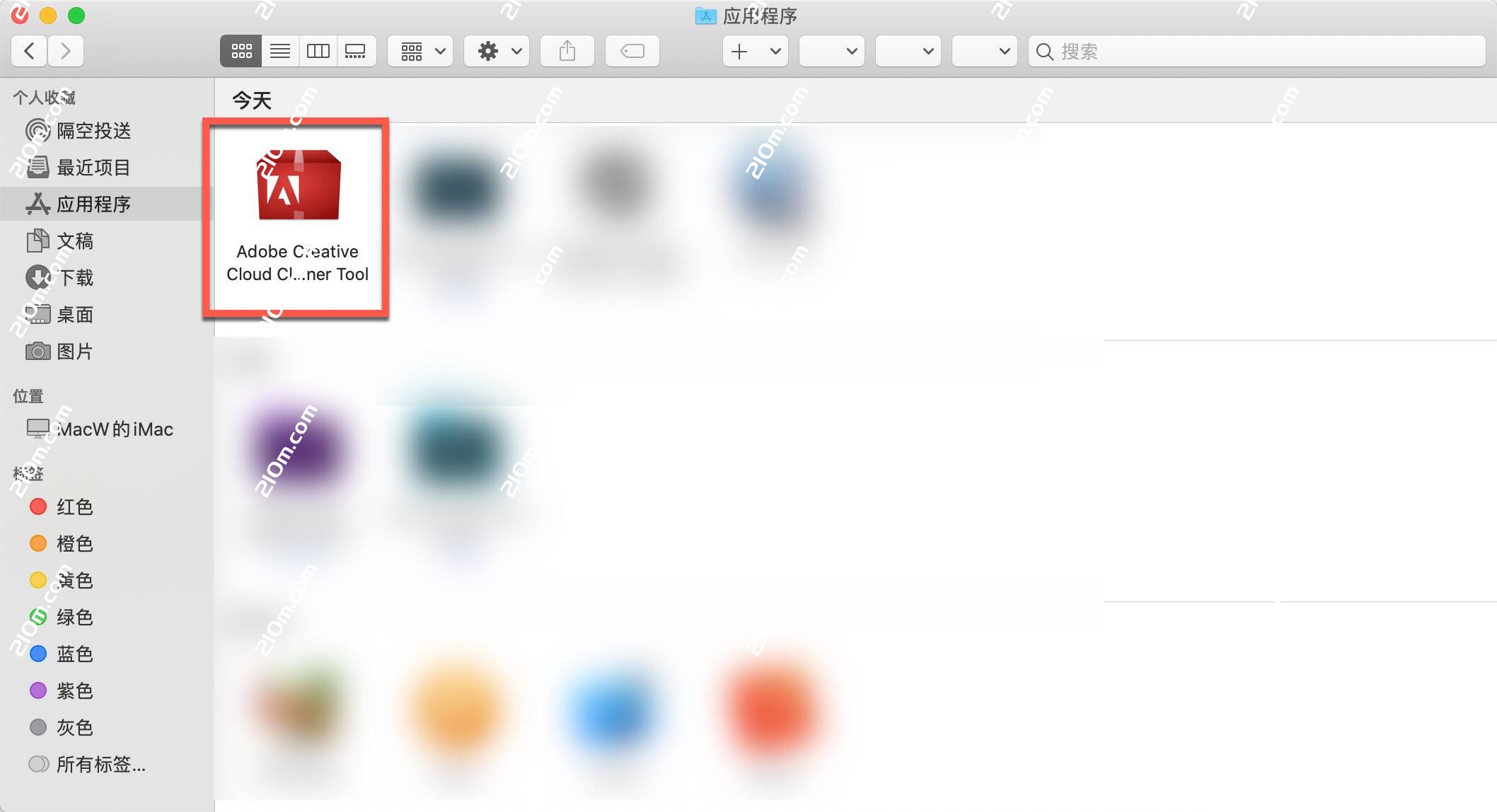
从应用程序中点击打开Adobe Creative Cloud Cleaner Tool。
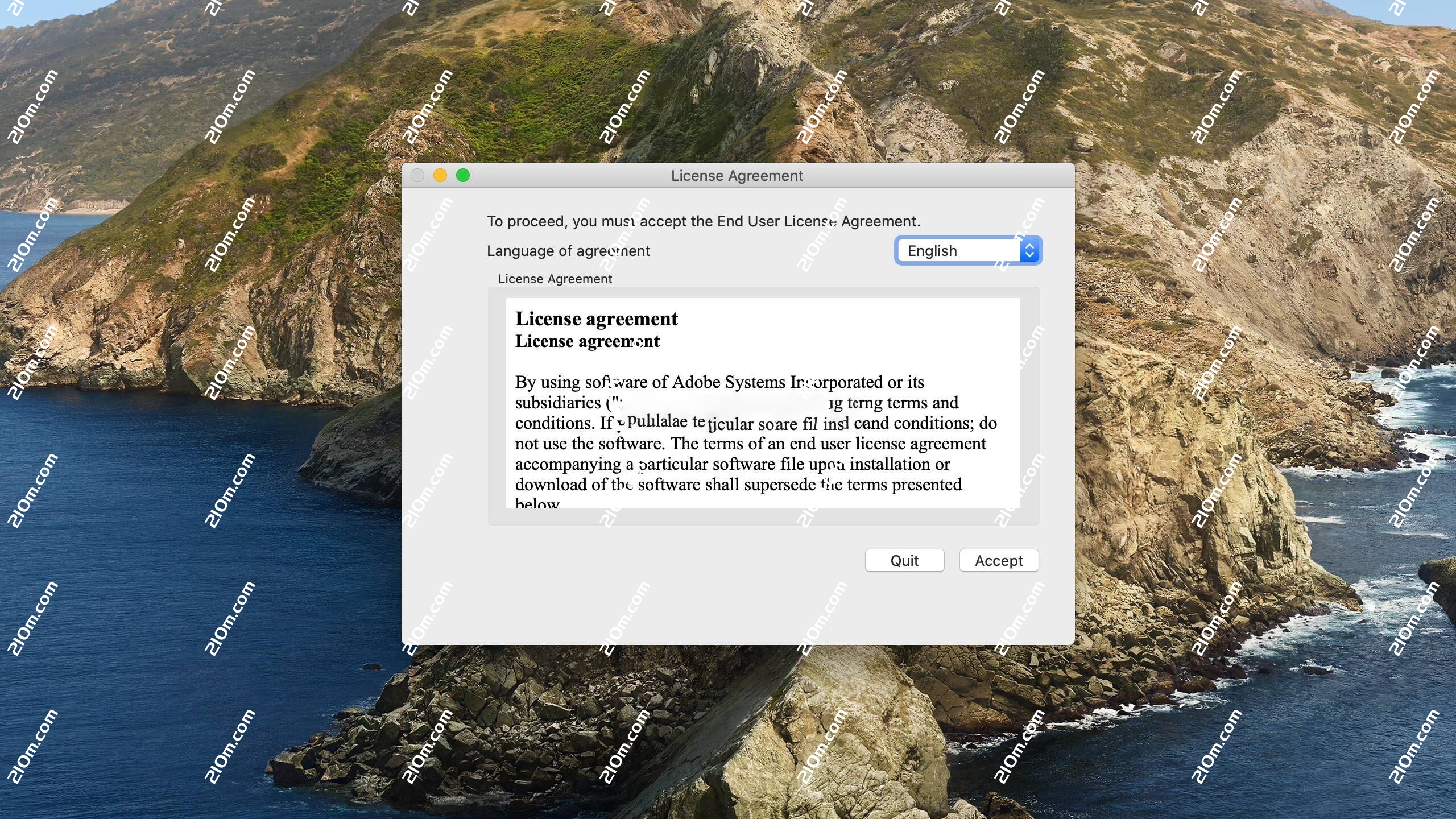
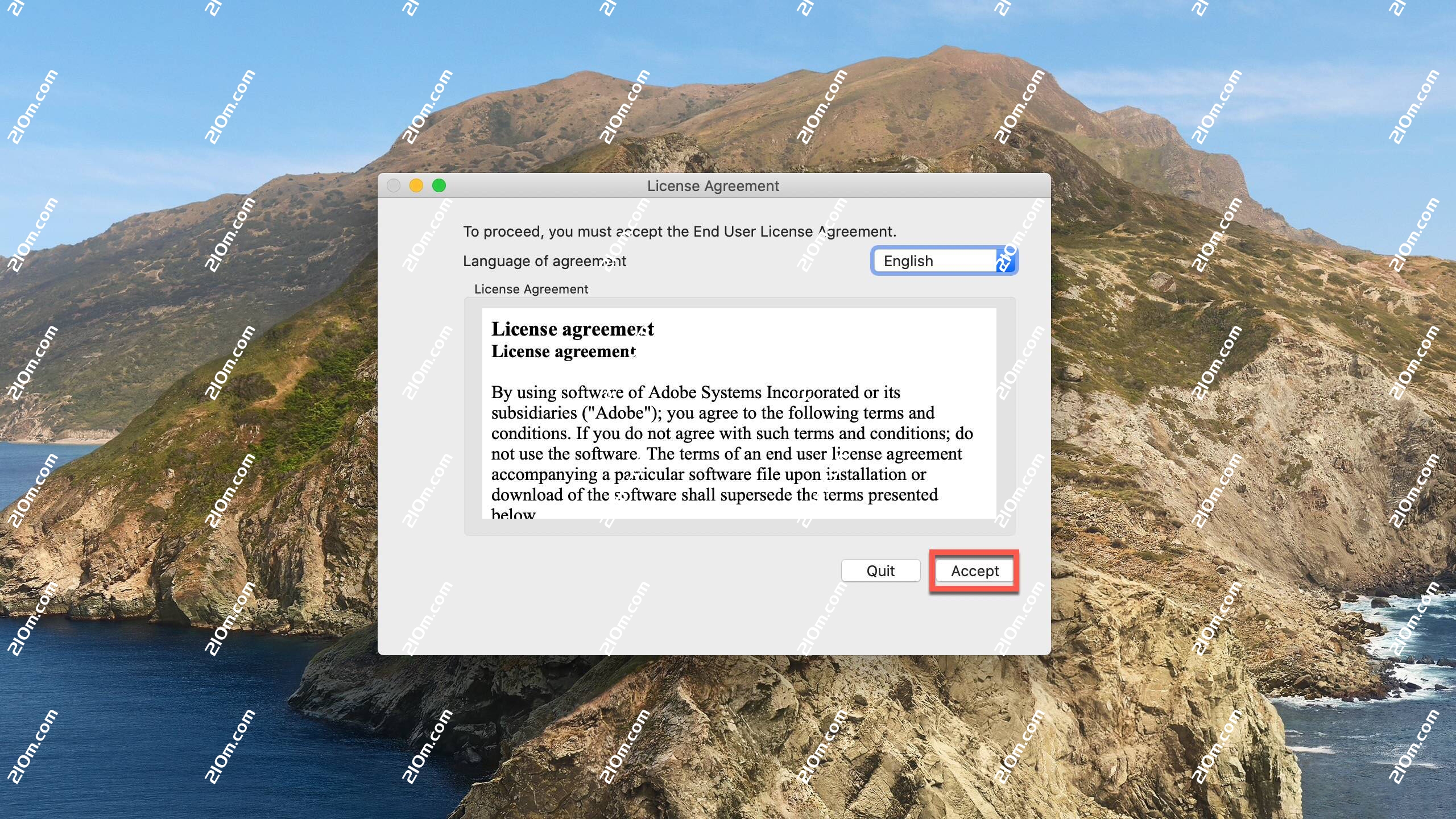
从窗口右上角的菜单中选择您的语言。查看 Adobe 最终用户许可协议:单击 Accept(接受)以接受协议,或者单击 Quit(退出)以拒绝协议(如果拒绝,则脚本会停止运行)。
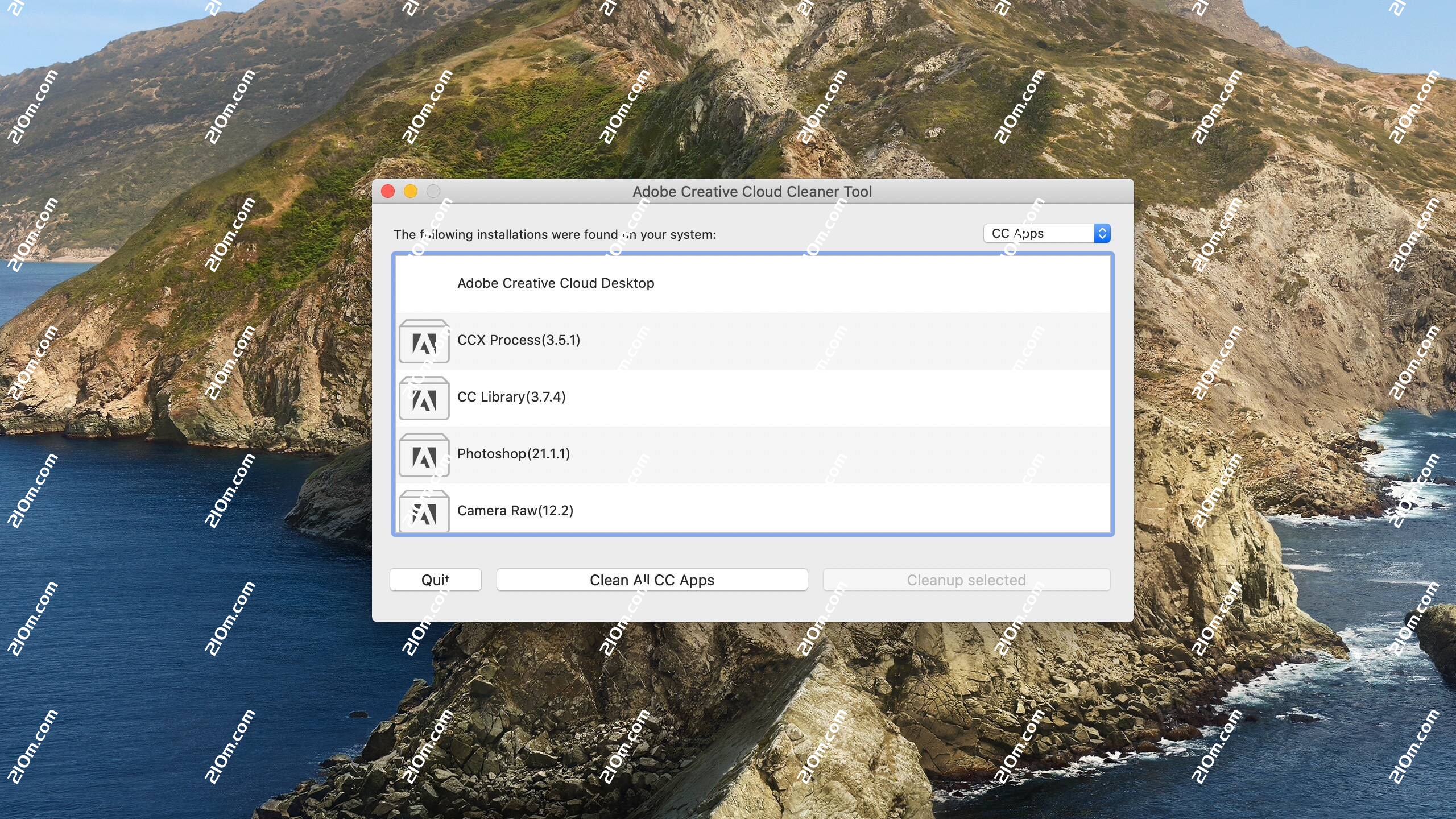
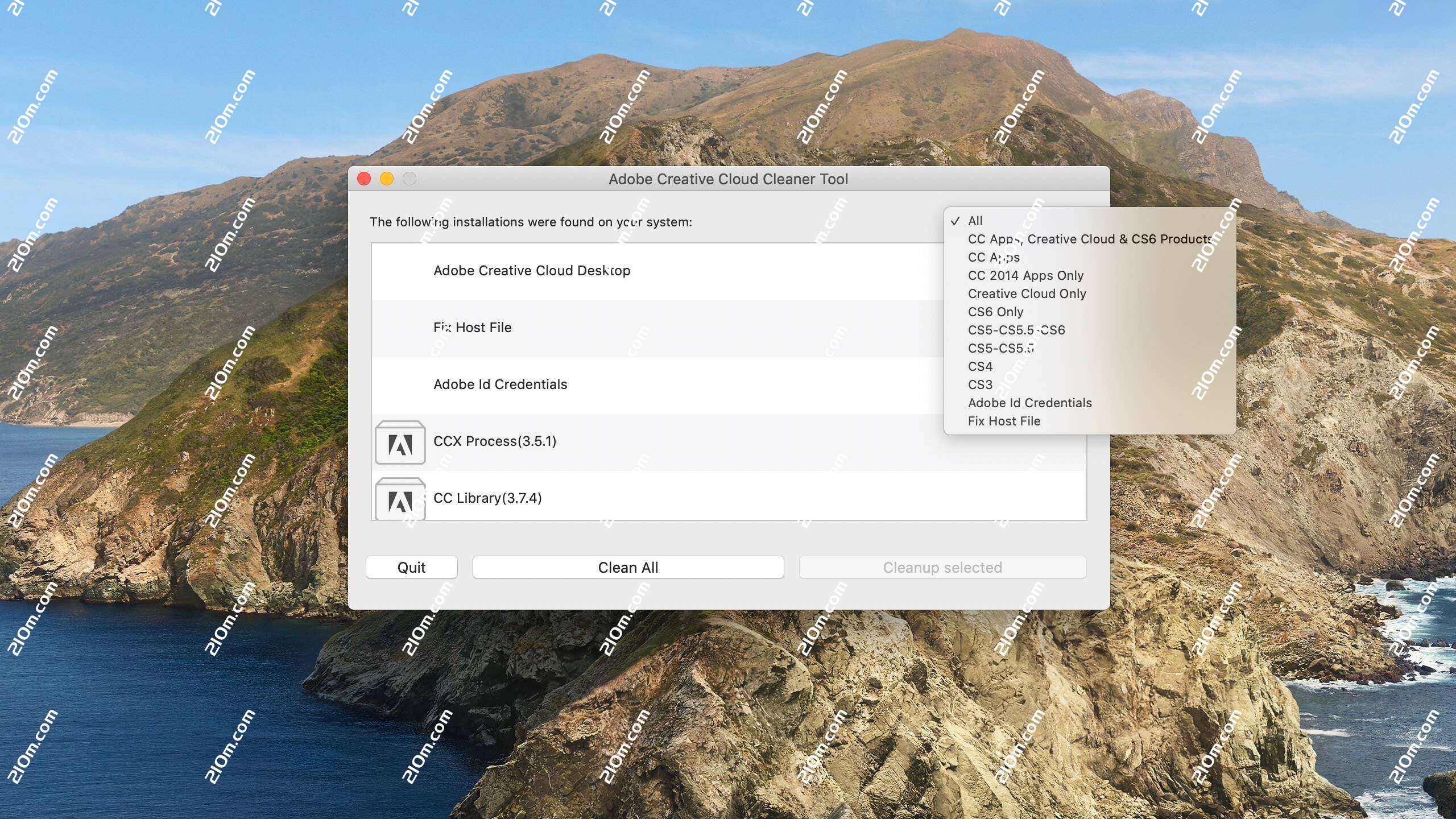
从窗口右上角的菜单中选择一个选项。例如,如果要卸载 Creative Cloud 应用程序,请选择 CC Apps(CC 应用程序)。
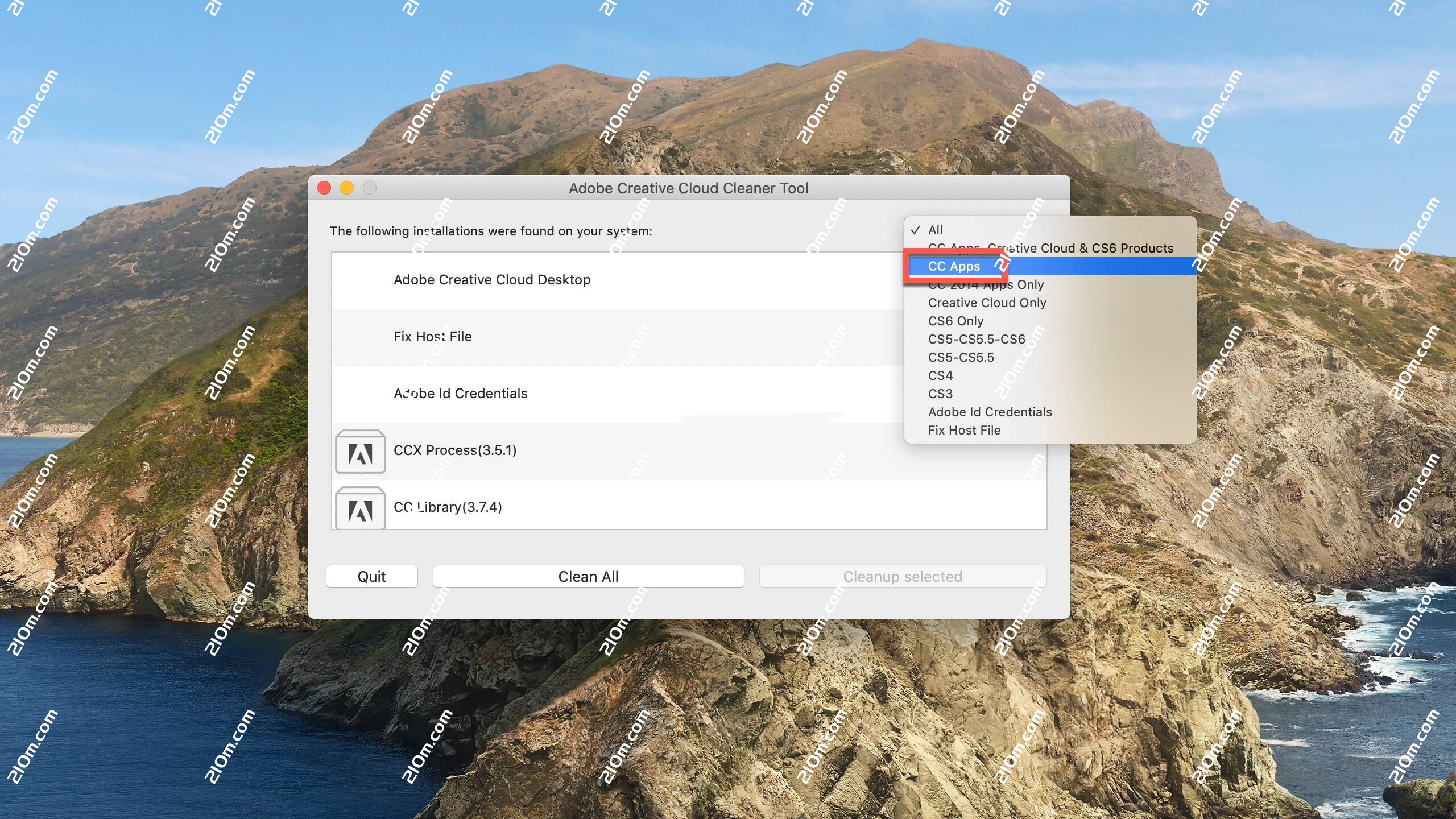
从表格中,选择要清除的应用程序,然后单击 Cleanup Selected(清除选定项)。
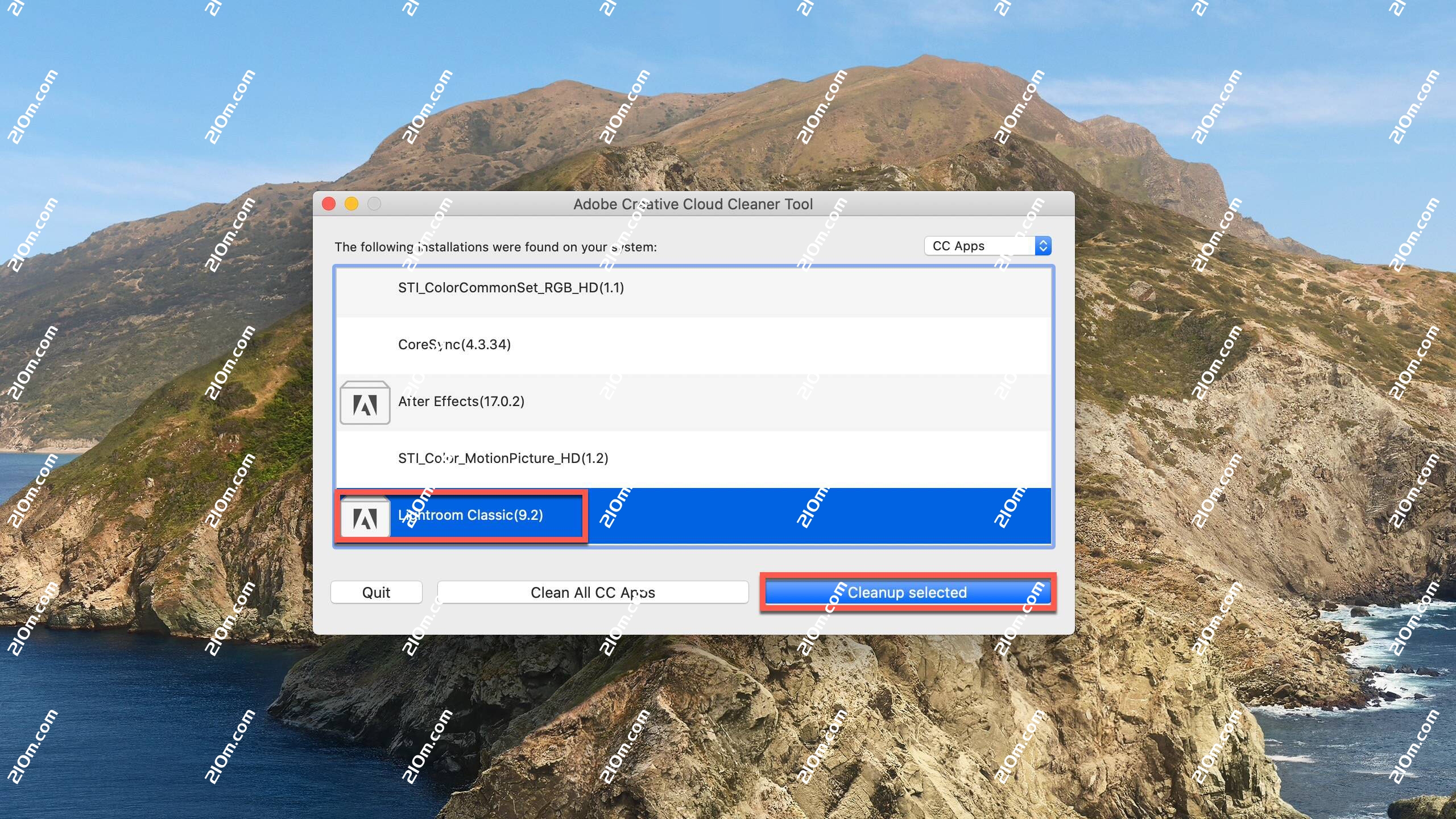
(单击 Clean All(全部清除),可清除与您在步骤 c 中选取的选项相对应的所有安装程序相关文件。)(可选)如果您无法连接到 Adobe 服务器,请从表格中选择 Fix Host File(修复 host 文件),以修复您的 host 文件,然后单击 Cleanup Selected(清除选定项)。
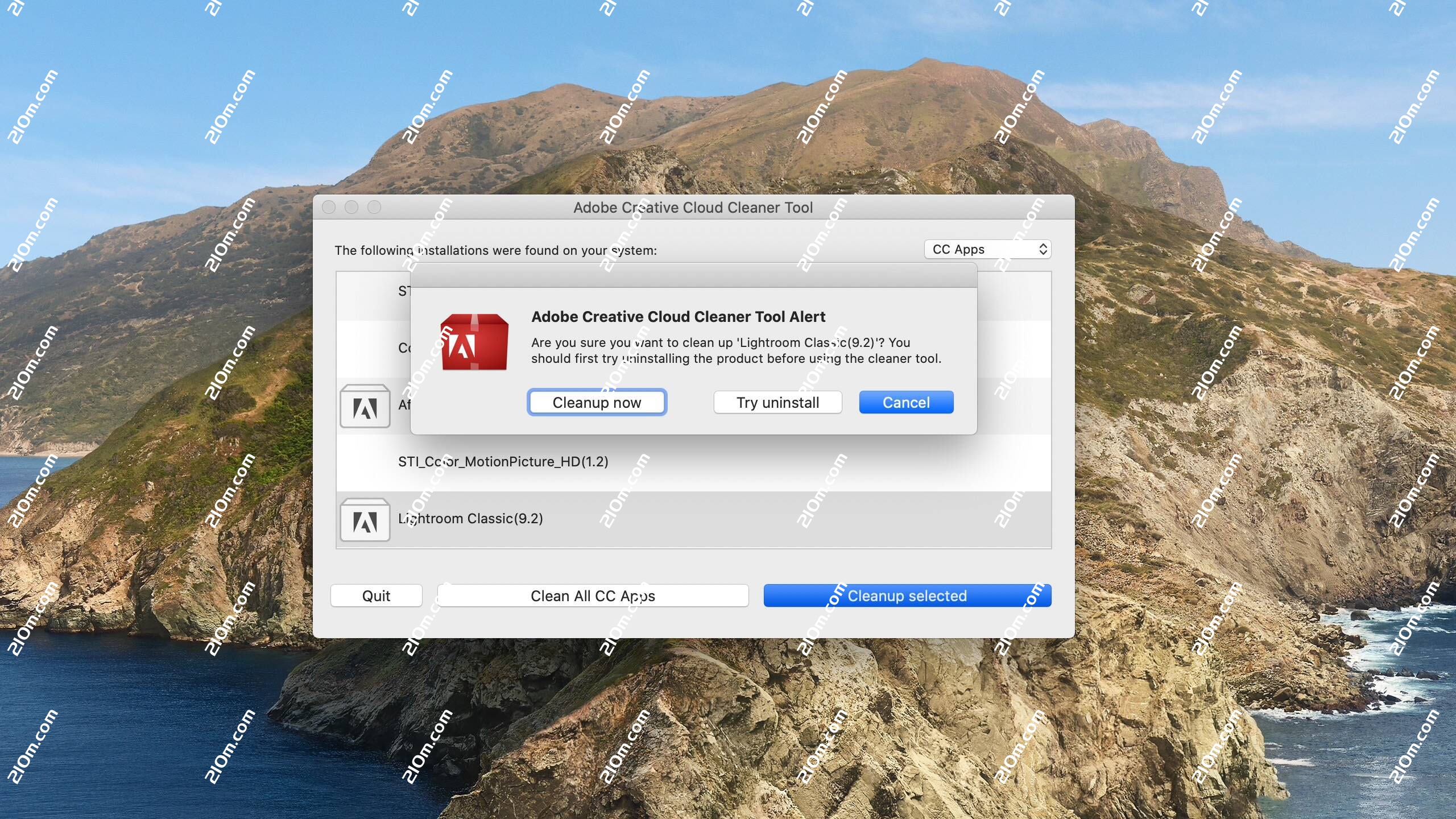
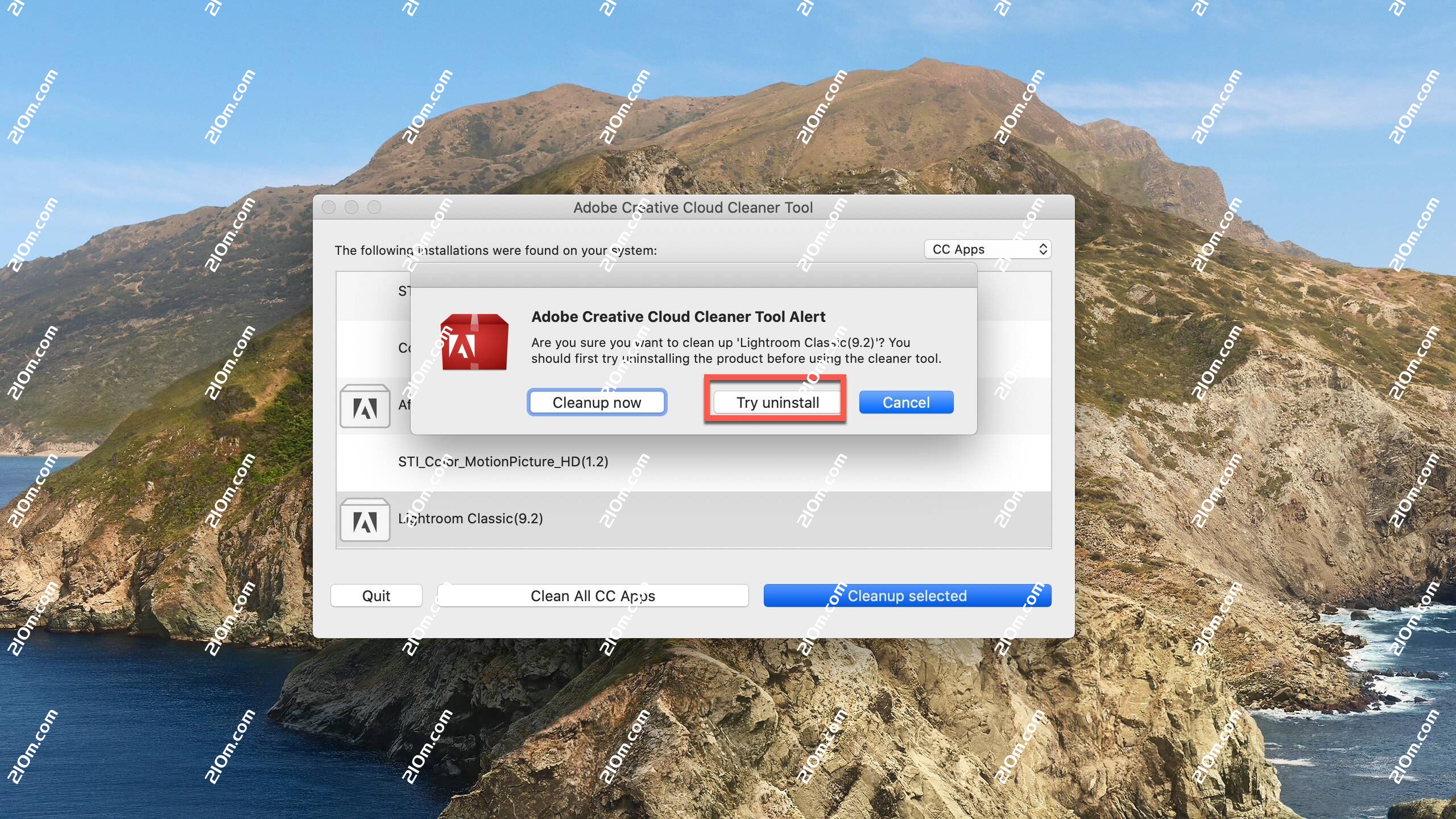
弹出下面对话框,我们选择Try uninstall
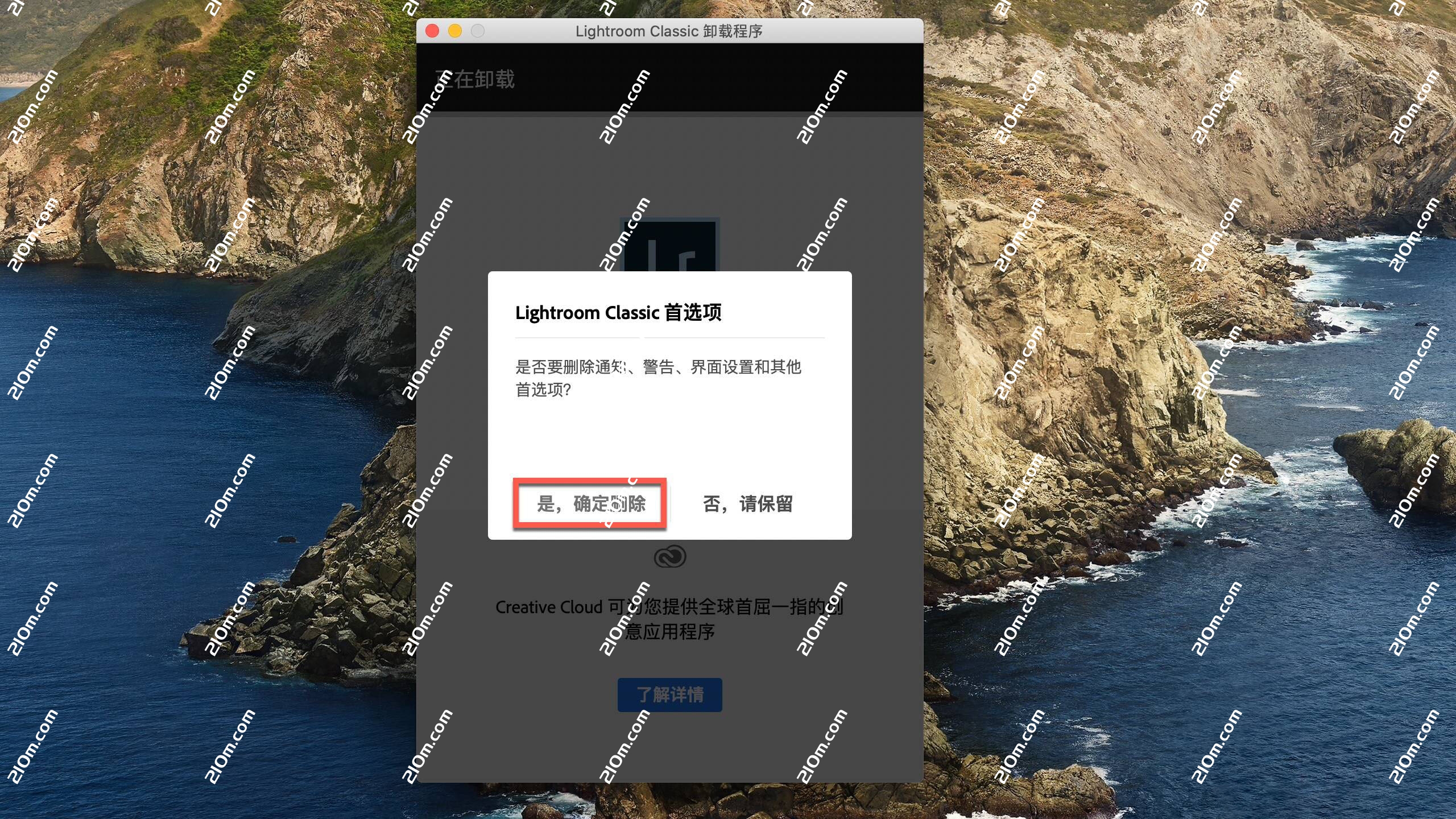
点击是,确定删除
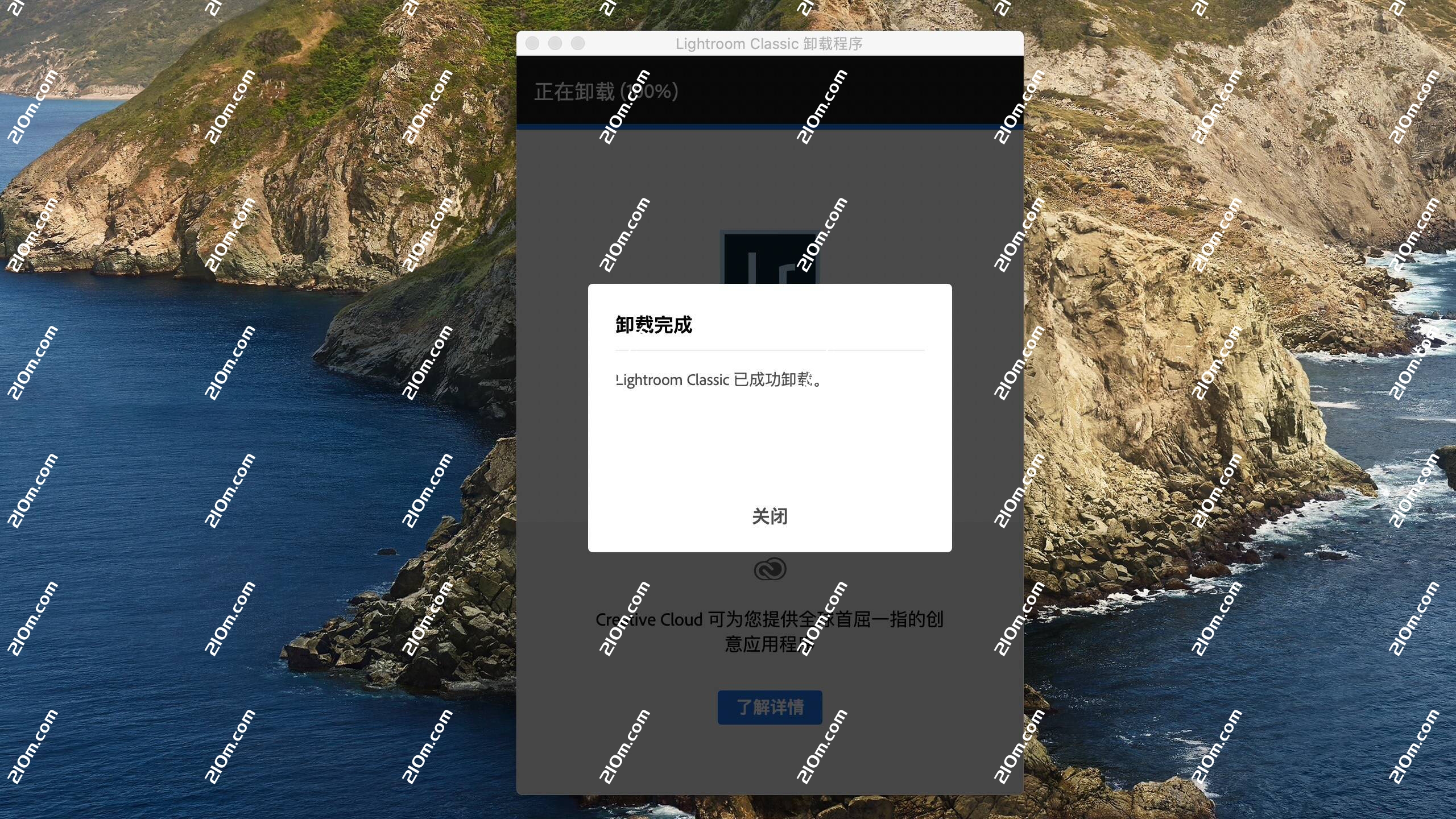
卸载完成,点击“关闭”
Adobe Creative Cloud Cleaner Tool mac版功能介绍
- 可以更精确地删除可能已损坏或者导致新安装出现问题的 Creative Cloud 或 Creative Suite 应用程序安装记录。
- 如果在系统上安装了预发行软件,并且现在想要将其删除,那么该工具将非常有用。
- 如果在安装 Creative Cloud 应用程序、Creative Suite (CS3–CS6) 应用程序、Photoshop Elements 或 Adobe Premiere Elements 时遇到问题,那么 Adobe Creative Cloud Cleaner Tool 可以为您提供帮助。
- 同样地,如果您无法连接到 Adobe 服务器,Cleaner Tool 会为您提供帮助,它可以从您计算机上的 host 文件中删除阻止访问 Adobe 软件和服务器的条目。
暂无评论...